My Account

Your account brings together everything related to your InoShop activity in one organized space. It lets you view and manage your information quickly and clearly.

Your Personal Space

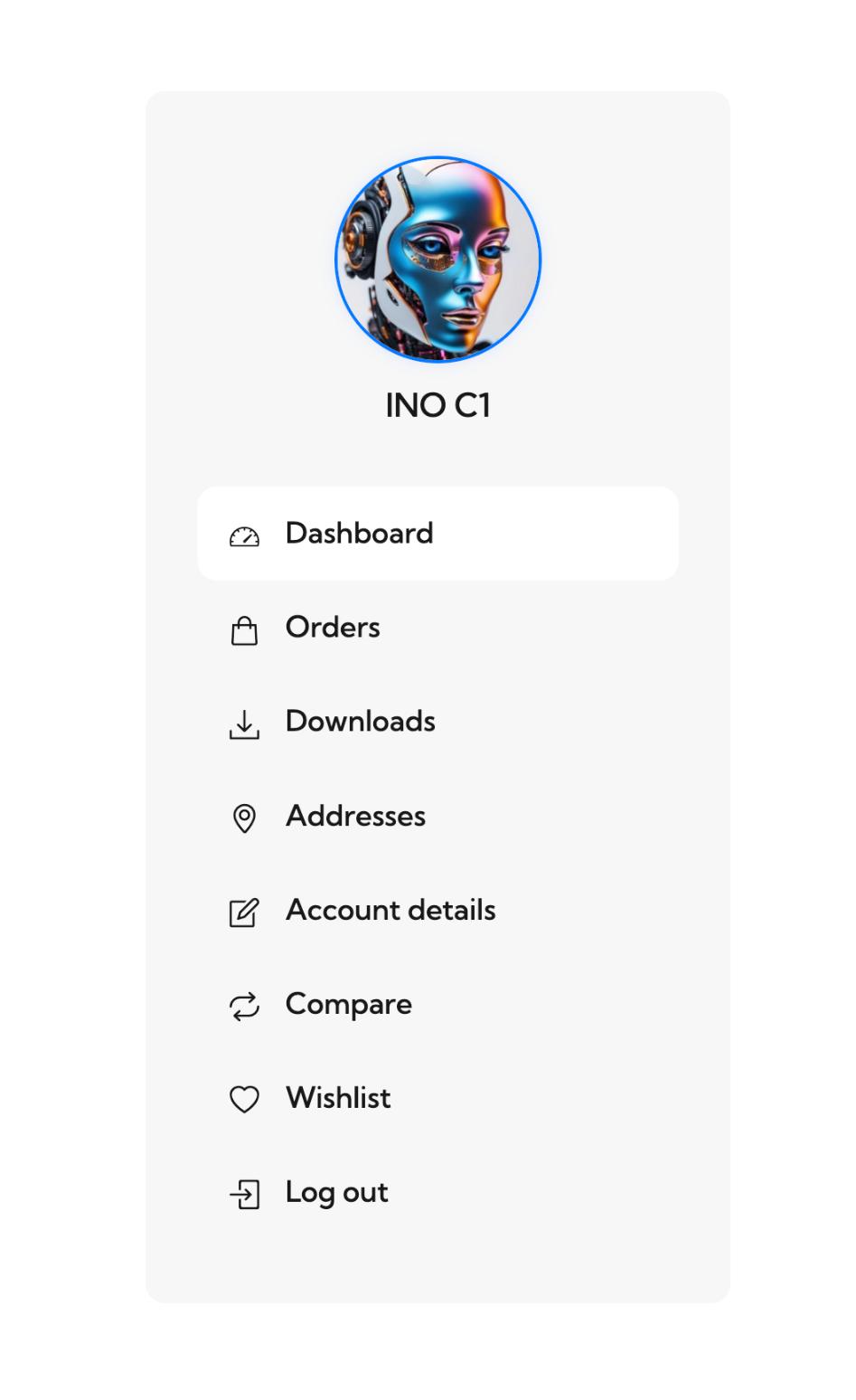
The profile dashboard serves as your control center on InoShoparrow-up-right. From here, you can review your recent activity, manage your profile, and quickly access the main sections of your account. Each area is designed to keep your experience simple, informative, and efficient.

Within this space, you can check your past orders, download digital files, manage your billing and shipping addresses, update your personal details, and adjust your communication settings. You will also find direct access to your wishlist, product comparison tools, and wallet management if you have connected one.

This section gives you clear visibility over your entire InoShop journey, helping you navigate smoothly and keep your information up to date.


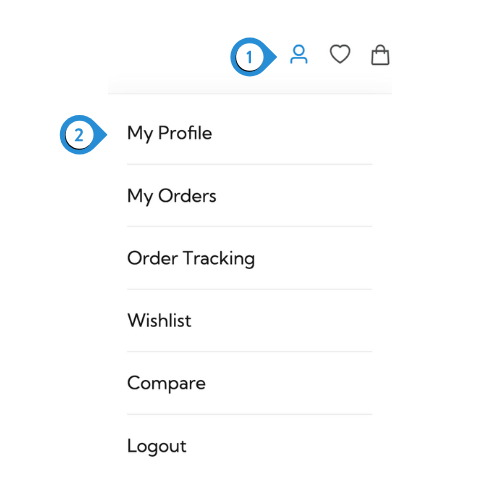
Profile - Menu
Dashboard - Account

  1. The Account menu in the header provides quick access to your personal space and essential tools.

  2. By clicking My Profile, you are taken to your dashboard, where you can view your activity and manage your account settings.

circle-info

Info: Below, you will find clear explanations for each feature, helping you understand how your dashboard works and how to use every section efficiently.

Last updated